


A factory reset puts your Inteno gateway back to its default settings.
Before You Reset
Write down your WiFi settings and port forwards. Most fiber ISPs set up the connection automatically, so it comes back after a reset. A restart (power off for 30 seconds) doesn't erase anything.
Method 1: The Reset Button
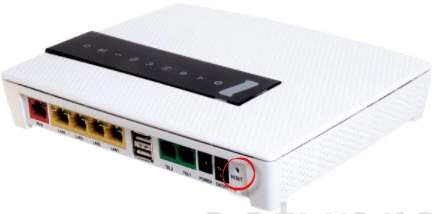
- With the gateway on, press and hold the Reset button for about 10 seconds, until the lights flash.
- Let go and wait a few minutes.

Method 2: Reset From the Web Interface
Log in. On newer models, go to System > Restore (in Expert Mode) and choose Reset to Factory Defaults. On older models, go to Management > Settings > Restore Default.
After the Reset
Log in with the defaults (see the Inteno login guide) and set up your WiFi.