


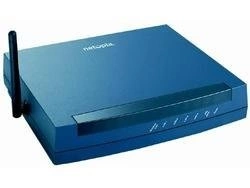
Netopia (bought by Motorola in 2007) made DSL gateways for AT&T, Qwest, CenturyLink, Verizon and other phone companies, such as the 2240, 2241, 2247, 3341, 3346 and 3347 series. Many carry the Motorola name.
Netopia Guides
- How to Login to A Netopia Router
- How to Reset A Netopia Router
- Netopia Router Passwords
- Netopia Router IP Addresses
Default Netopia Login Details
Most Netopia routers are at http://192.168.1.1. The most common login is admin / 1234. Other models use admin / the password on the label. See the Netopia passwords and Netopia IP address pages.
Netopia gateways have a Home page and Basic Mode / Expert Mode menus (Configure, Troubleshoot, Security, Install, Utilities).
Most Netopia devices are supplied by an Internet provider, so some settings may be locked, and a factory reset can remove the ISP's settings.
Note: these Netopia models no longer get firmware updates. Set a strong admin password, use WPA2 WiFi, and think about replacing very old units.
More Than Router Guides
To forward ports on a Netopia router, see our sister site: Netopia port forwarding guides on Portforward.com.
Netopia Models We Cover
2240N-VGx, 2241N-ITel, 2241N-VGx, 2246N-VGx, 2247-02, 2247-62, 2247NWG-VGx, 3000, 3341, 3341-006, 3342, 3346-006, 3346N-002, 3346N-VGx, 3347-02, 3347-02-1006l, 3347-02-1022, 3347NWG, 3347NWG-006, 3347NWG-VGx, 3347NWGv2, 3347W, 3347W-006, 3347W-T, 3347WG-VGx, 3387WG-VGx, 3546, 3546-002, 3547W, Cayman3300, Cayman3341, Cayman3346, Motorola 3347-02