


A factory reset puts your Novatel Wireless router back to its default settings, including the default login.
Before You Reset
Your ISP set up this device. A reset can erase the Internet (and phone or TV) settings, and some ISPs have to put them back, so check with them first. A reset erases your WiFi name and password, Internet login and port forwards, so write them down. A restart (power off for 30 seconds) keeps all your settings.
Method 1: The Reset Button
- With the router on, press and hold the Reset button (usually a pinhole on the back, so use a paperclip) for about 5 to 10 seconds.
- Let go and wait a few minutes while the router restarts.
The reset button is usually under the back cover or beside the battery. You can also reset many models from the device's own menu.
Method 2: Reset From the Web Interface
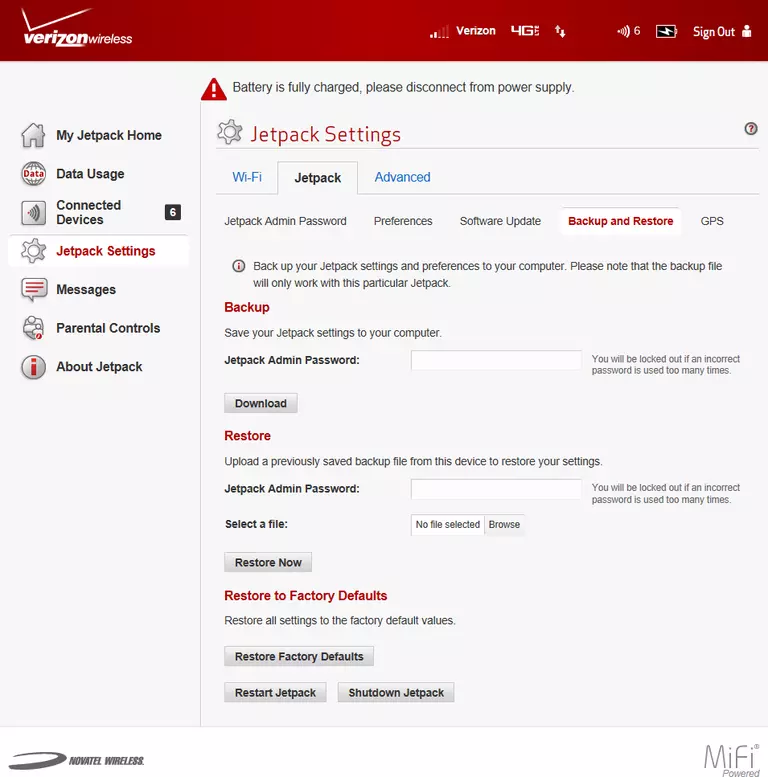
Log in, go to Settings > Backup and Restore > Restore Factory Defaults and confirm.
After the Reset
Log in at http://192.168.1.1 with the defaults (see the Novatel Wireless login guide), set a new admin password, and set up your WiFi and Internet connection again.