


A factory reset puts a Sagemcom gateway back to its default settings.
Check With Your ISP First
Sagemcom gateways are set up by your ISP. A reset can remove the ISP's settings, such as your Internet login, phone service or TV settings. Most ISPs re-send them automatically within a few minutes, but some need a call. Write down your WiFi details and port forwards first. A restart (power off and on) doesn't erase anything.
Method 1: The Reset Button
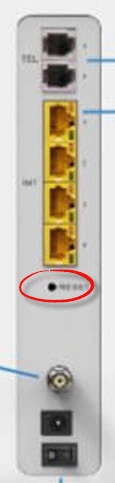
- With the gateway on, press and hold the Reset pinhole on the back for about 10 to 20 seconds, until the lights flash.
- Let go and wait up to 5 minutes for the gateway to restart and reconnect.
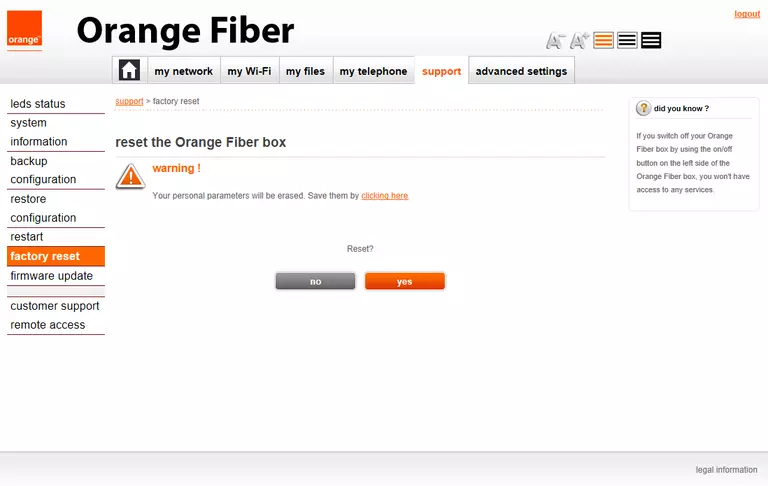
Method 2: Reset From the Web Interface
Look under Management, Maintenance or System for Factory Reset or Restore Factory Settings. On a Livebox, go to Advanced settings > Maintenance > Reset. Many ISP apps also have a reset option.
After the Reset
Connect with the default WiFi details, log in with the label password (see the Sagemcom login guide), and set up your WiFi again.