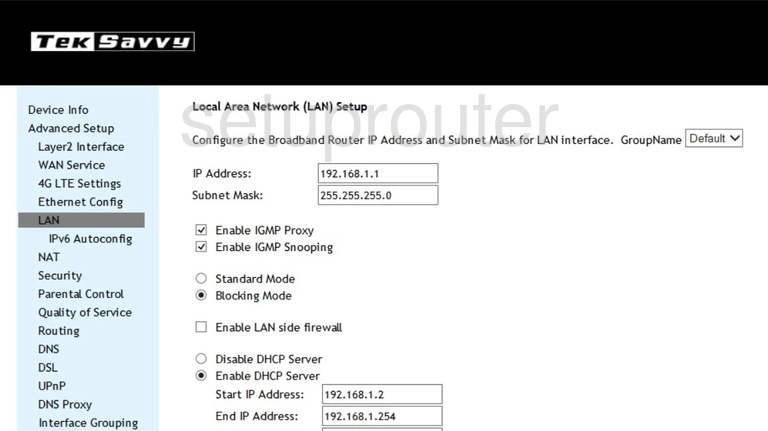
Most SmartRG routers use 192.168.1.1 as their default IP address.
Common SmartRG Addresses
- 192.168.1.1 (most SmartRG gateways
- the admin page is often at http://192.168.1.1/admin)
- 192.168.0.1: some ISP versions.
Every Known SmartRG Default IP Address
| SmartRG Model | IP Address |
| 808ac | 192.168.0.1 |
| SR300NE | 192.168.1.1 |
| SR350N | 192.168.1.1 |
| SR350N Clear Access | 192.168.1.1 |
| SR350N Clear Access | http://192.168.1.1/admin |
| SR360n | 10.0.0.1 |
| SR360n | 10.0.0.2 |
| SR360n | 192.168.1.1 |
| SR400ac | 192.168.1.1 |
| SR500N | 192.168.1.1 |
| SR500NE | 192.168.1.1 |
| SR505n | 192.168.1.1 |
| SR505n TekSavvy | 192.168.1.1 |
| SR516ac | 192.168.1.1 |
| SR516ac | http://192.168.1.1/admin |
| SR516ac | http://192.168.42.1/admin |
| SR616ace | 192.168.229.1 |
| SR804n | 192.168.0.1 |
Find Your Router's IP Address
Run ipconfig on Windows and read Default Gateway, or check Router in your WiFi network's details. See How To Find Your Router's IP Address.
Change the Router's IP Address
Log in, go to Advanced Setup > LAN, change the router's IP address, and save. Then log back in at the new address.