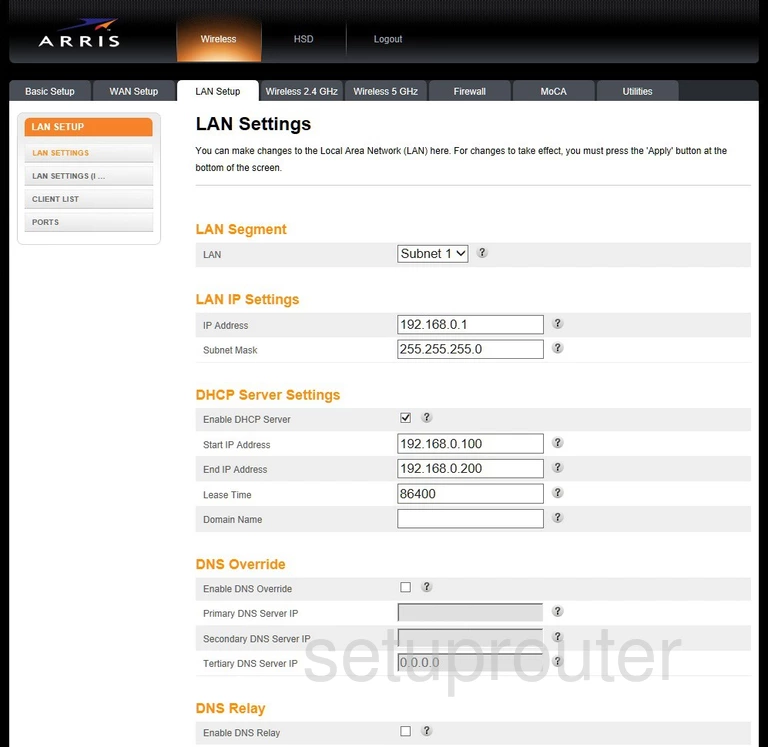
Most ARRIS gateways use 192.168.0.1. Xfinity versions use 10.0.0.1, and AT&T and Frontier NVG gateways use 192.168.1.254. Cable modems without WiFi have a status page at 192.168.100.1.
Common ARRIS Addresses
- 192.168.0.1: SURFboard gateways and routers, and Touchstone gateways.
- 10.0.0.1: Xfinity ARRIS gateways.
- 192.168.1.254: NVG DSL gateways.
- 192.168.100.1: the status page of any ARRIS cable modem, even with your own router behind it.
- 192.168.2.1 and 192.168.254.254: some ISP versions.
Every Known ARRIS Default IP Address
| Arris Model | IP Address |
| BGW210-700 | 192.168.1.254 |
| BGW210-700 ATT | 192.168.1.254 |
| DCX3635 | 192.168.0.1 |
| DG1660A | 192.168.0.1 |
| DG1670 | 192.168.0.1 |
| DG1670A | 192.168.0.1 |
| DG167A | 192.168.0.1 |
| DG3270 | 192.168.0.1 |
| DG3270A | 192.168.0.1 |
| DG3450A | 192.168.0.1 |
| DG860A | 192.168.0.1 |
| DG860P2 | 192.168.0.1 |
| DG9450 | 192.168.0.1 |
| DG950 | 192.168.0.1 |
| DMC7002KLG | 192.168.1.1 |
| MG5225GNA | 192.168.0.1 |
| NVG343BQ Windstream | 192.168.254.254 |
| NVG443B | 192.168.254.254 |
| NVG448B | 192.168.254.254 |
| NVG448BQ | 192.168.254.254 |
| NVG468MQ | 192.168.254.254 |
| NVG510 | 192.168.1.254 |
| NVG558HX | 192.168.0.1 |
| NVG578HLX | 192.168.254.254 |
| NVG578LX | 192.168.1.254 |
| NVG589 | 192.168.1.254 |
| NVG589 ATT | 192.168.1.254 |
| NVG595 | 192.168.1.11 |
| NVG595 | 192.168.1.254 |
| NVG599 | 192.168.1.254 |
| RAC2V1A | 192.168.1.1 |
| RT-AX58U | 192.168.0.1 |
| SB6121 | 192.168.100.1 |
| SB8200 | 192.168.100.1 |
| SBG10 | 192.168.0.1 |
| SBG6400 | 192.168.0.1 |
| SBG6580 | 192.168.0.1 |
| SBG6700-AC | 192.168.0.1 |
| SBG6782-AC | 192.168.0.1 |
| SBG6900-AC | 192.168.0.1 |
| SBG6950AC2 | 192.168.0.1 |
| SBG7400AC2 | 192.168.0.1 |
| SBG7580-AC | 192.168.0.1 |
| SBG7600AC2 | 192.168.0.1 |
| SBG8300 | 192.168.0.1 |
| SBR-AC1750 | 192.168.0.1 |
| SBR-AC3200P | 192.168.0.1 |
| SVG2482AC | 10.0.0.1 |
| T25 | 192.168.100.1 |
| TG1652 | 192.168.0.1 |
| TG1662G | 192.168.0.1 |
| TG1672G | 192.168.0.1 |
| TG1672G72 | 192.168.0.1 |
| TG1682G | 10.0.0.1 |
| TG1682G | 192.168.0.1 |
| TG1692A | 192.168.0.1 |
| TG2472G | 192.168.0.1 |
| TG2482A | 192.168.0.1 |
| TG2482AL | 192.168.0.1 |
| TG2492LG-FLO | 192.168.0.1 |
| TG2492LG-LIB | 192.168.0.1 |
| TG2492LG-NA | 192.168.0.1 |
| TG2492LG-VM | 192.168.0.1 |
| TG2492LG-VTR | 192.168.0.1 |
| TG2492LG-ZG | 192.168.0.1 |
| TG249LG-NA Liberty | 192.168.0.1 |
| TG3442DE | 192.168.0.1 |
| TG3452 | 192.168.0.1 |
| TG3452A | 192.168.0.1 |
| TG3482G | 10.0.0.1 |
| TG3482G | 192.168.0.1 |
| TG34921G-VMB | 192.168.0.1 |
| TG3492LG-LC | 192.168.0.1 |
| TG3492LG-VMB | 192.168.0.1 |
| TG3492LG-YL | 192.168.1.1 |
| TG3492LG-ZG | 192.168.0.1 |
| TG4482A | 10.0.0.1 |
| TG4482A | 192.168.0.1 |
| TG6441B | 192.168.0.1 |
| TG852 | 192.168.0.1 |
| TG852G | 10.0.0.1 |
| TG852G | 192.168.0.1 |
| TG852GCT Xfinity | 10.0.0.1 |
| TG862 | 10.0.0.1 |
| TG862 | 192.168.0.1 |
| TG862A | 192.168.0.1 |
| TG862G | 10.0.0.1 |
| TG862G | 192.168.0.1 |
| TG862G-CT | 10.0.0.1 |
| TG862G-CT | 192.168.0.1 |
| TG862G-NA | 192.168.0.1 |
| TG862GCT | 10.0.0.1 |
| TG862S | 192.168.0.1 |
| TM1602 | 192.168.1.1 |
| TM501b | 192.168.2.1 |
| TM502b | 192.168.2.1 |
| VMDG505 | 192.168.0.1 |
| WTM552 | 192.168.2.1 |
| WTM552G | 192.168.2.1 |
| WTM652 | 192.168.2.1 |
| WTM652G | 192.168.100.1 |
| WTM652G | 192.168.2.1 |
Find Your Gateway's IP Address
Run ipconfig on Windows and look for Default Gateway. On a phone or Mac, look for Router in your WiFi network's details. See How To Find Your Router's IP Address.
Change the Gateway's IP Address
Log in, then:
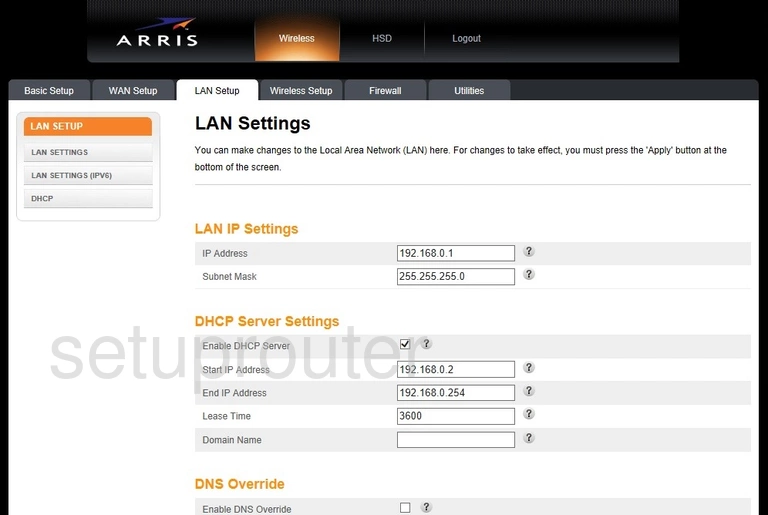
- Touchstone and SURFboard gateways: Basic > LAN (or Basic Setup > LAN Settings). Change the LAN IP Address and click Apply.
- Xfinity gateways: Gateway > Connection > Local IP Network. Change the Gateway Address and click Save Settings.
- NVG gateways: Home Network > Subnets & DHCP. Change the Device IPv4 Address and click Save.