


AVM's FRITZ!Box routers are popular in Germany and across Europe, either bought in shops or supplied by ISPs. The range includes DSL models (7360, 7490, 7530, 7590), cable models (6490, 6591) and LTE models (6890), as well as older models such as the Fon WLAN 7050 to 7170, SL WLAN and WLAN 3030/3050. Older firmware may have no password until you set one.
FRITZ!Box Guides
- How to Login to A FRITZ!Box Router
- How to Reset A FRITZ!Box Router
- FRITZ!Box Router Passwords
- FRITZ!Box Router IP Addresses
Default FRITZ!Box Login Details
Most FRITZ!Box routers are at http://192.168.178.1 (or http://fritz.box). No username by default: enter the FRITZ!Box password printed on the label underneath (or on the FRITZ! Notes card). See the FRITZ!Box passwords and FRITZ!Box IP address pages.
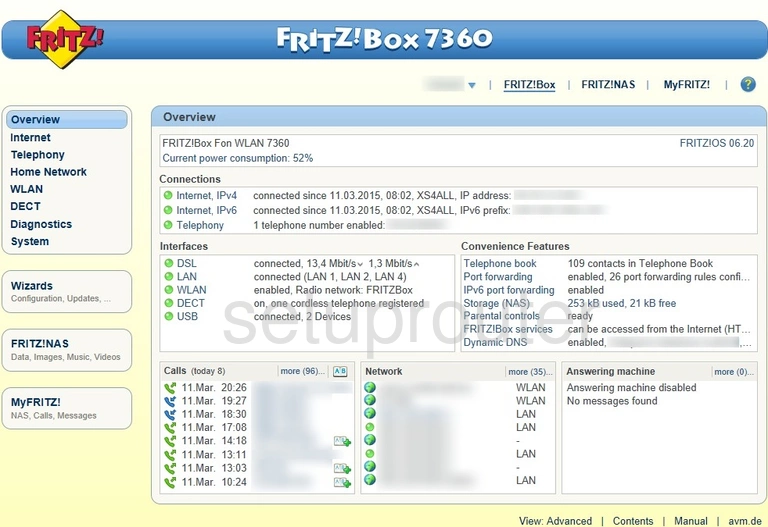
The FRITZ!OS interface has Overview, Internet, Telephony, Home Network, Wi-Fi, Smart Home, Diagnostics and System menus.
More Than Router Guides
To forward ports on a FRITZ!Box router, see our sister site: FRITZ port forwarding guides on Portforward.com.
FRITZ!Box Models We Cover
6490 Cable, 7430, 7490, 7530, 7590, Box 6591 Cable, Box 6890 LTE, Box 7530, Box 7582, Fon 5010, Fon 5050, Fon 5140, Fon Annex A, Fon WLAN 7570, SL, SL WLAN, SL WLAN 3030, WLAN 3030, WLAN 3050, WLAN 7050, WLAN 7113, WLAN 7141, WLAN 7170, WLAN 7170-EN, WLAN 7330, WLAN 7340, WLAN 7360, WLAN 7360 v2, WLAN 7390, WLAN 7490