


Nearly every Hitron gateway uses 192.168.0.1 as its default IP address.
Every Known Hitron Default IP Address
| Hitron Technologies Model | IP Address |
| BVW-3653 | 192.168.0.1 |
| BWG-35302 | 192.168.0.1 |
| CGN | 192.168.0.1 |
| CGN-AP | 192.168.0.1 |
| CGN2-RES | 192.168.0.1 |
| CGN2-ROG | 192.168.0.1 |
| CGN3 | 10.0.0.1 |
| CGN3 | 192.168.0.1 |
| CGN3 ROG | 192.168.0.1 |
| CGN3552 | 192.168.0.1 |
| CGN3ACR | 10.0.0.1 |
| CGN3ACR | 192.168.0.1 |
| CGN3ACSMR | 192.168.0.1 |
| CGN3AMF | 192.168.0.1 |
| CGN3U | 192.168.0.1 |
| CGN5-AP | 192.168.0.1 |
| CGNM-2250-RES | 192.168.0.1 |
| CGNM-2250-SHW | 192.168.0.1 |
| CGNM-2252 | 192.168.0.1 |
| CGNM-3552 | 192.168.0.1 |
| CGNM-3552-ROG | 192.168.0.1 |
| CGNM-RES | 192.168.0.1 |
| CGNV2 | 192.168.0.1 |
| CGNV4-BIZ | 192.168.0.1 |
| CGNV5-MAX | 192.168.0.1 |
| CGNVM-2559 | 192.168.0.1 |
| CGNVM-3582 | 192.168.0.1 |
| Chita | 192.168.0.1 |
| CODA-4582 | 192.168.0.1 |
| CODA-4582-ONE | 192.168.0.1 |
| CODA-4582-ONE (2A) | 192.168.0.1 |
| CODA-4582-RES (2A) | 192.168.0.1 |
| CODA-4582-ROG (1A) | 192.168.0.1 |
| CODA-4582-U (2A) | 192.168.0.1 |
| CODA-4582U | 192.168.0.1 |
| CODA-4582U (1A) | 192.168.0.1 |
| CODA-4582U (2A) | 192.168.0.1 |
| CODA-4589-CGO (1A) | 192.168.0.1 |
| CODA-4589-ONE | 192.168.0.1 |
| CODA-4589-RES | 192.168.0.1 |
| CODA-4680 | 192.168.0.1 |
| CODA-4680-TPIA | 192.168.0.1 |
| CVE-30360 | 192.168.0.1 |
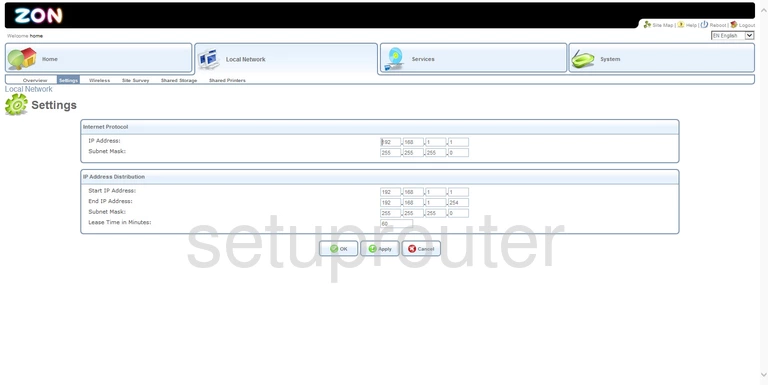
| CVE30360 ZON | 192.168.1.1 |
| CVW-30360 | 192.168.0.1 |
Find Your Gateway's IP Address
Run ipconfig on Windows and read Default Gateway, or look for Router in your WiFi network's details. See How To Find Your Router's IP Address.
Change the Gateway's IP Address
- Log in and go to Basic Settings > LAN Setup.
- Change the Private LAN IP address. Keep the Subnet Mask at 255.255.255.0.
- Adjust the DHCP start and end addresses to match, then click Save Changes.
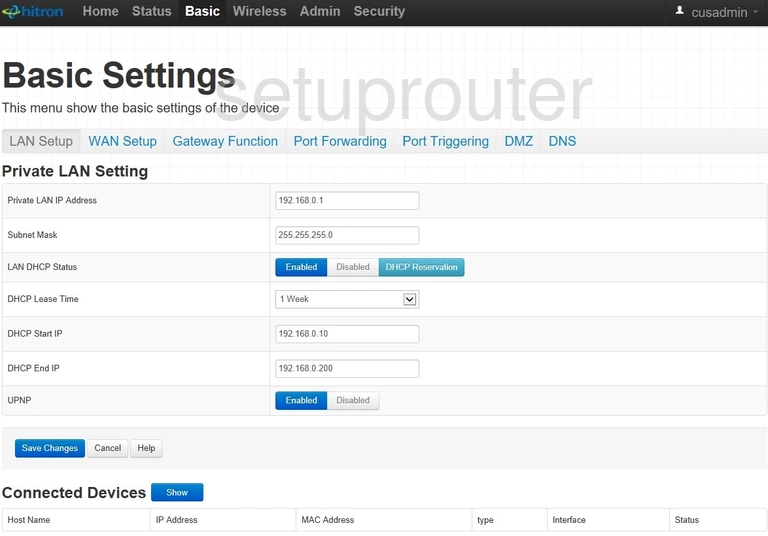
Log back in at the new address.