


Each of these screenshots was captured and submitted to us by users of this site.
If you would like to upload screenshots for us to use, please use our Router Screenshot Grabber, which is a free tool in Network Utilities. It makes the capture process easy and sends the screenshots to us automatically.
This is the screenshots guide for the Linksys WGA54G. We also have the following guides for the same router:
- Linksys WGA54G - How to change the IP Address on a Linksys WGA54G router
- Linksys WGA54G - Linksys WGA54G User Manual
- Linksys WGA54G - Linksys WGA54G Login Instructions
- Linksys WGA54G - Setup WiFi on the Linksys WGA54G
- Linksys WGA54G - How to Reset the Linksys WGA54G
- Linksys WGA54G - Information About the Linksys WGA54G Router
All Linksys WGA54G Screenshots
All screenshots below were captured from a Linksys WGA54G router.
Linksys WGA54G Help Screenshot

Linksys WGA54G Status Screenshot
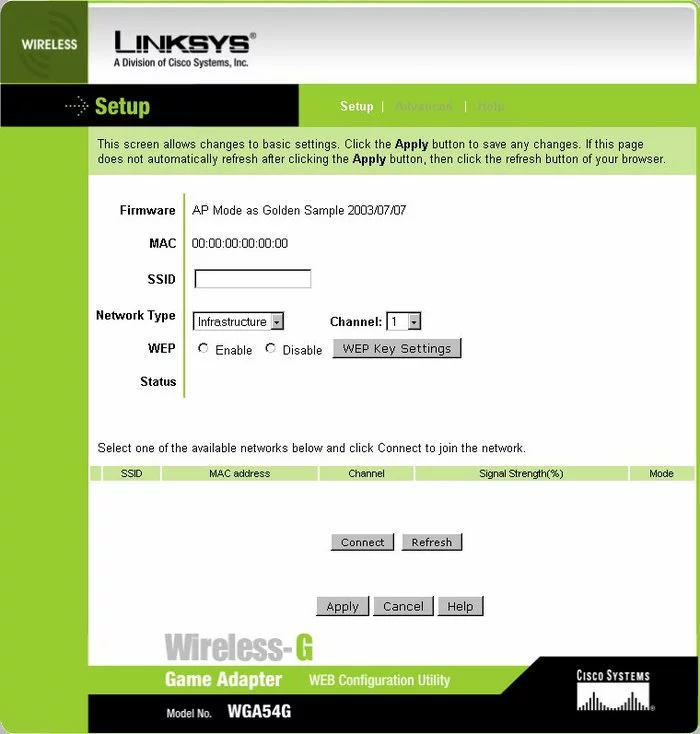
Linksys WGA54G Setup Screenshot
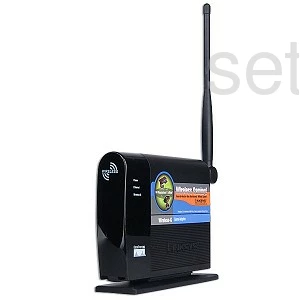
Linksys WGA54G Device Image Screenshot
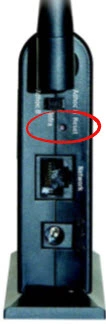
Linksys WGA54G Reset Screenshot
This is the screenshots guide for the Linksys WGA54G. We also have the following guides for the same router:
- Linksys WGA54G - How to change the IP Address on a Linksys WGA54G router
- Linksys WGA54G - Linksys WGA54G User Manual
- Linksys WGA54G - Linksys WGA54G Login Instructions
- Linksys WGA54G - Setup WiFi on the Linksys WGA54G
- Linksys WGA54G - How to Reset the Linksys WGA54G
- Linksys WGA54G - Information About the Linksys WGA54G Router