


TP-Link is one of the biggest router makers in the world. Its range runs from the budget TL-WR routers through the Archer AC and AX routers and the Archer and TD-W modem routers, to the Deco mesh systems and the M-series mobile WiFi. These guides cover how to log in, find the default password and reset the router.
TP-Link Guides
- How to Login to a TP-Link Router
- How to Reset a TP-Link Router
- TP-Link Router Passwords
- TP-Link Router IP Addresses
Use a VPN Instead
Have you considered using a VPN instead of forwarding a port? For most users, a VPN is a much simpler and more secure choice than forwarding a port.
We use and recommend NordVPN because not only is it the fastest VPN, it includes a new feature called Meshnet that makes forwarding a port no longer necessary for most applications. With NordVPN Meshnet, you can connect to your devices from anywhere in the world, completely secure, over a highly encrypted VPN tunnel.
When shopping for a VPN, make sure that they meet the following criteria:
- Your VPN provider should have a no-logs policy. This means that they do not keep any logs of any kind.
- Make sure that your VPN provider has lots of exit nodes all around the world.
- Check that your VPN will not affect your speed.
- Verify that your VPN provider uses WireGuard as the underlying protocol.
- Many people prefer a VPN provider that is not based in the United States.
This is the list of requirements that we used when we were shopping around for a VPN provider. There are lots of free, shady VPN providers out there that we looked at and dismissed.
Based in Panama, using diskless servers, and with over 6,100 servers in 61 countries, we can safely say that NordVPN satisfies all of these requirements.

Once you've set up your NordVPN account on multiple computers and enabled Meshnet, you can seamlessly access all of your devices as if they were on the same network. You don't even have to log in to your router. It's very simple.
Every time you click on one of our affiliate links, such as NordVPN, we get a little kickback for introducing you to the service. Think of us as your VPN wingman.
Which TP-Link Interface Do You Have?
- Classic TP-Link interface (TL-WR740N, TL-WR841N, TL-WR940N, TL-WDR3500 and other older models). It has a long menu down the left: Status, Quick Setup, Network, Wireless, DHCP, Forwarding, Security, System Tools and more. Each page has a Save button.
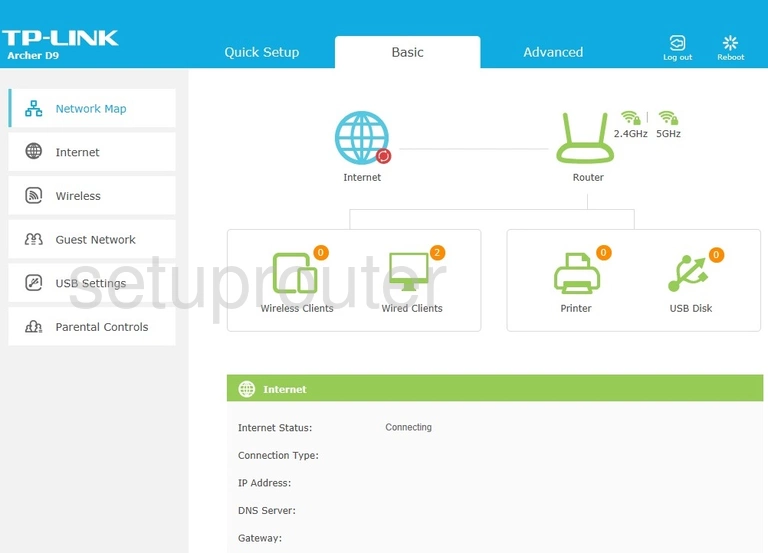
- Newer TP-Link interface (Archer C7 v2 and later, the Archer AX series, Archer VR and D modem routers). It has Quick Setup, Basic and Advanced tabs across the top and a network map on the Basic home page.
- Deco mesh systems are set up and managed in the Deco app.
Default TP-Link Login Details
Newer TP-Link routers are at http://tplinkwifi.net, and modem routers are at http://tplinkmodem.net. By IP address they're at 192.168.0.1 or 192.168.1.1. Older models use admin / admin. Newer ones ask you to create a password the first time you log in. The full lists are on the TP-Link passwords and TP-Link IP address pages.
Don't forget to sign up for NordVPN's promo deal before it's gone.

You might notice that most of our site doesn't have ads on it. This is because we use partnerships with companies like NordVPN to keep the site running. Thank you for supporting us by using our referral links.
More Than Router Guides
To forward ports on a TP-Link router, see our sister site: TP-Link port forwarding guides on Portforward.com.
TP-Link Models We Cover
100v, AC1750, AD2700, Archer A10, Archer A10 v2.0, Archer A20 v1.0, Archer A5, Archer A54, Archer A6 v4, Archer A7 v5.0, Archer A8, Archer AX10 v1.20, Archer AX1500 v2.0, Archer AX1800 v1.20, Archer AX1800 v2.6, Archer AX1800 v3.6, Archer AX20 v2.0, Archer AX3000, Archer AX4400 v2.0, Archer AX50, Archer AX55, Archer AX6000, Archer AX73, Archer AX73 v2, Archer AX75, Archer AX90, Archer AXE75, Archer C1200, Archer C1200 v1.0, Archer C1200 v2, Archer C1200 v3, Archer C1900, Archer C2, Archer C20, Archer C20i, Archer C2300 v1.0, Archer C2600, Archer C3150, Archer C3150 v2, Archer C3200, Archer C5, Archer C5 v2, Archer C50, Archer C50 v3, Archer C50 v4, Archer C5400, Archer C5400X, Archer C59, Archer C59 v2.0, Archer C59 v4.0, Archer C6 v2.0, Archer C6 v3.20, Archer C6 v4.0, Archer C60 v1.0, Archer C60 v2.0, Archer C7, Archer C7 v2, Archer C7 v4, Archer C7 v5, Archer C8, Archer C8 v3, Archer C8 v4, Archer C80, Archer C9, Archer C9 v3, Archer C9 v5, Archer C900, Archer CR1900, Archer CR700, Archer D2, Archer D5, Archer D5 v2, Archer D50, Archer D7, Archer D9, Archer D9 v2, Archer GX90, Archer MR200, Archer MR200 v2, Archer MR200 v3, Archer MR200 v5, Archer MR400 v4, Archer MR500, Archer MR600, Archer MR600 v1, Archer MR600 v2, Archer MR600 v3, Archer VR1600v, Archer VR1600v v2, Archer VR2100, Archer VR2600, Archer VR2800, Archer VR600v, Archer VR900, Archer VR900 v3, Archer X11000, Deco X20 v1, ER605 v1.0, ER605 v2.0, EX230v, M5350, M7350, Talon AD7200, TD-854W, TD-8616, TD-8800, TD-8810, TD-8811, TD-8816, TD-8817, TD-8840, TD-8840T, TD-8961ND, TD-VG3631, TD-W8151N, TD-W8901G, TD-W8901N, TD-W890iG, TD-W8910G, TD-W8920G, TD-W8950ND, TD-W8951NB, TD-W8951ND, TD-W8960N, TD-W8960N v6, TD-W8960N v8, TD-W8960NB, TD-W8961N, TD-W8961ND v4, TD-W8961NT, TD-W8968, TD-W8968 v1, TD-W8970, TD-W8980, TD-W9810G, TD-W9960, TD-W9970, TD-W9970 v3, TD-W9970 v4, TD-W9977, TD-W9980, TD864W, TL-ER5120, TL-ER604W, TL-ER605 v2.0, TL-ER6120, TL-MR100, TL-MR3020, TL-MR3220, TL-MR3240, TL-MR3420, TL-MR3620, TL-R402M, TL-R460, TL-R470T+ v2.1, TL-R470T+ v5.0, TL-R470T+ v6.0, TL-R480T Plus, TL-R600VPN, TL-WA500G, TL-WA7210N, TL-WDR3500, TL-WDR3600, TL-WDR4300, TL-WDR5620, TL-WDR5660, TL-WDR7661, TL-WR1043N, TL-WR1043N v2, TL-WR1043N v5.0, TL-WR1043ND, TL-WR1043ND v2, TL-WR2543ND, TL-WR340G, TL-WR340GD, TL-WR541G, TL-WR541G\TL-WR542G v7, TL-WR542G, TL-WR641G, TL-WR641G v4, TL-WR642G, TL-WR642G v4, TL-WR720N v1.0, TL-WR720N v2.0, TL-WR740N, TL-WR740N v5, TL-WR740N v6, TL-WR740N v7, TL-WR740ND, TL-WR741N, TL-WR741ND, TL-WR741ND v5, TL-WR741ND v6, TL-WR743ND, TL-WR802N, TL-WR810N, TL-WR820N, TL-WR840N, TL-WR840N v3, TL-WR840N v5, TL-WR840N v6, TL-WR840ND, TL-WR841HP v2, TL-WR841N, TL-WR841N v12, TL-WR841N v13, TL-WR841N v14, TL-WR841N v8, TL-WR841N v9, TL-WR841ND, TL-WR841ND v8, TL-WR842N v2, TL-WR842ND, TL-WR842ND v2, TL-WR845N v4, TL-WR850N v3, TL-WR940N, TL-WR940Nv3, TL-WR941HP v1, TL-WR941HP v2, TL-WR941ND, TL-WR941NDv6, Touch P5, VR2800, VR2800 v1, VX420-G2h