


A factory reset puts your Ubiquiti router back to its default settings, including the default login.
Before You Reset
A reset erases your WiFi name and password, Internet login and port forwards, so write them down. A restart (power off for 30 seconds) keeps all your settings.
Method 1: The Reset Button
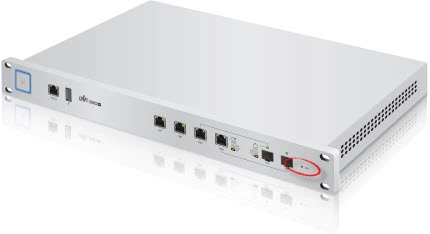
- With the router on, press and hold the Reset button (usually a pinhole on the back, so use a paperclip) for about 10 seconds.
- Let go and wait a few minutes while the router restarts.
On an EdgeRouter, hold the reset button until the eth0 light starts flashing, then let go. On UniFi devices, hold it for about 10 seconds until the lights flash.
After the Reset
Log in at http://192.168.1.1 with the defaults (see the Ubiquiti login guide), set a new admin password, and set up your WiFi and Internet connection again.