


A factory reset erases the settings on your ZTE router and puts the defaults back.
Check With Your ISP First
ZTE gateways usually come from an ISP, which puts its own settings on them: your Internet login, VLAN and VoIP phone settings. A reset can remove these. Some ISPs set them up again automatically, but others need you to call. Write down your WiFi details and any port forwards before you start. A plain restart (power off and on) doesn't erase anything.
Method 1: The Reset Button
- With the device on, press and hold the Reset pinhole for about 10 seconds (about 5 seconds on 4G mobile WiFi). Hold it until the lights flash or the screen shows it's resetting.
- Let go and wait two to three minutes.
On mobile WiFi devices the reset hole is often under the back cover, near the SIM slot.
Method 2: Reset From the Web Interface
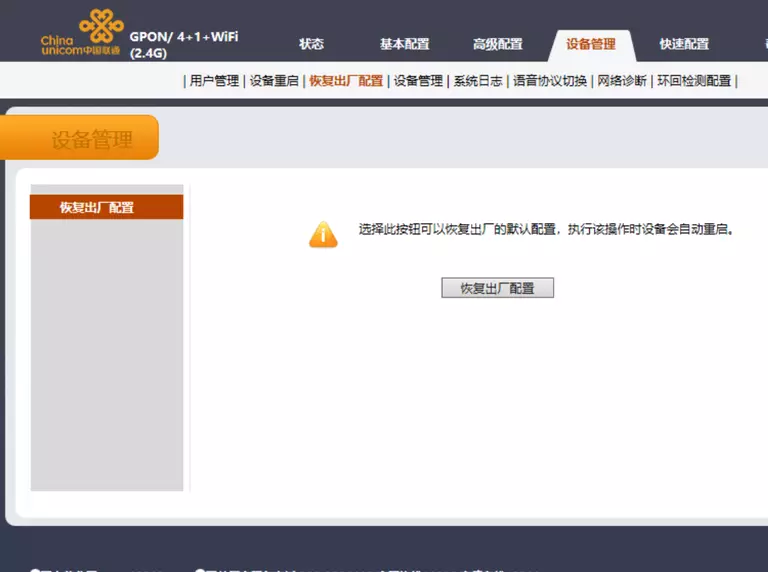
- Fiber ONTs and DSL gateways: Administration > System Management > Device Management (or Management & Diagnosis > System Management). Click Factory Reset (or Restore Default).
- 4G / 5G devices: Settings > Device Settings (or Advanced Settings > Others), then Reset Factory Settings, or Restore.
After the Reset
Log in again with the default details (see the ZTE login guide). Restore your Internet settings or contact your ISP, then set up WiFi.